Control any app by voice
Say what you want done, and it happens. No list to learn.
- No command list
- Anything the app can do
- Mac and Windows
Free to try. No card. Commands included.
Apple Silicon · macOS 14 or later · Windows 11
Dictation stops at the edge of the text box. You talk an email, then reach for the mouse to send it. The hands you just avoided come straight back for the part that is not typing.
Same key, same hold. What changes is that some of what you say is recognised as something the computer can do.
What can it do?
Say it
Anything the app does
Whatever the app in front of you can do, you can just say.
Per app
Nothing to configure
A new app works the first time. An updated app gains commands on its own.
Same key
One hold for both
Dictation and commands share a key. Anything unrecognised is typed as words.
There is no command list to learn
Every other voice-control tool ships a list somebody wrote by hand, one app at a time. It is always out of date and never covers the app you are in.
This works out what the app in front of you can do. Say “new folder” in Finder and a folder appears. Say “merge layers” in a design tool and it does that.
- Every action the app has is already a command
- It keeps up on its own when the app updates
- No permission beyond the one dictation already asks for
And the things no single app can do
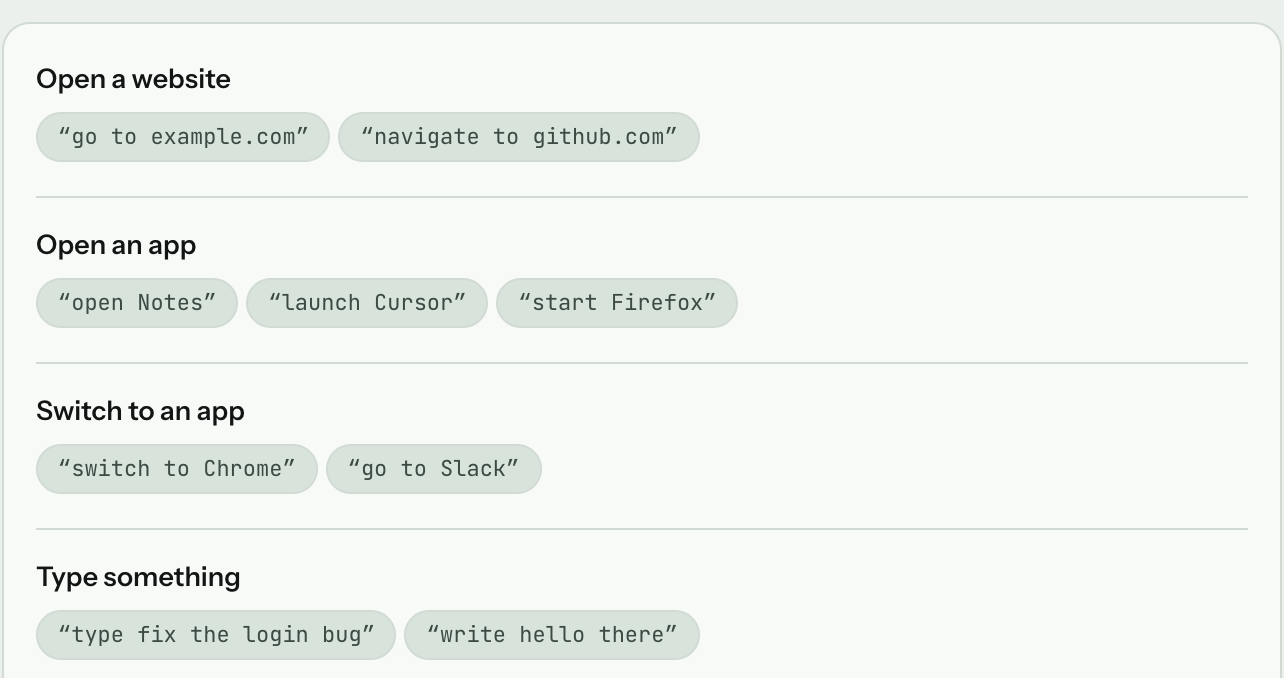
Launching, switching, and acting on the machine. Built in, and the same on Mac and PC.
Applications
open Slack · switch to Figma
Browsing
new tab · close tab · scroll down
Editing
copy · paste · undo · send it
The machine
lock the screen · volume up · next track
Real system events
Media, volume and brightness are posted as system events, not simulated keystrokes, so they behave exactly as your keyboard does.
One switch off
Prefer dictation and nothing else? Turn the whole layer off in Settings and nothing is ever acted on.
Hold the key, say “new folder”, and watch a folder appear. Thirty seconds, and no other dictation app passes it.
Nothing fires by accident
Three things stop an ordinary sentence turning into an action:
- A phrase has to match whole — never a prefix, never approximate
- Ordinary prose cannot clear the bar, because most speech is words, not commands
- Anything unrecognised is typed, so a command that misses is visible as text
How this differs from Voice Control
macOS has Voice Control built in and Windows 11 has Voice access. Both drive the whole machine by voice, both are free, and if what you need is full hands-free control of the operating system, both do more than this does.
The difference shows up when you want a command they do not already have. In Voice Control you add it yourself — System Settings, Accessibility, Voice Control, then a phrase, an application and an action, one command at a time, and again for the next one. Apple documents the steps. JotMic reads the menus of the app in front of you instead, so the commands are whatever that app can already do, and there is no list to build.
They also sit in different places in your day. Voice Control is a mode you switch on and leave on. This is the same key you already hold to dictate: hold it, say what you want, let go.
Where this leaves your hands
A stretch of work with no keyboard in it:
- Open the app
- Dictate the message and send it
- Switch to the next one
- Lock the screen on the way out
Commands are on every plan, including the free tier, and they work offline as well as online.
Read next
Dictation on Mac
The Mac build in full, and how it compares with Apple Dictation.
Offline dictation
Commands and dictation with the network switched off entirely.
Dictation for hand arthritis
Typing less when your hands are the reason you are looking.
Compared with the other apps
Voice Control and Voice access are the free options. Of the paid apps, these four differ mostly on whether they act on what you say or only type it.
Questions
Do I have to configure each app for voice commands?
No, and there is nothing to set up. JotMic works out what the app in front of you can do, so a new app works the first time you use it. When an app adds something, that becomes a command too.
How does it tell a command from something I meant to type?
It only acts on a complete phrase, matched exactly. Saying “new” will not fire “New Folder”. Anything it does not recognise is typed as words, so you always see what happened.
Do voice commands work offline?
Yes. Commands work exactly the same offline as online, with no network at any point.
Can I turn voice commands off?
Yes, with one switch in Settings. With it off, everything you say is transcribed as text and nothing is ever acted on.
Which apps does it work in?
On a Mac, effectively every app — Finder, Mail, Word, Pages, Figma, Xcode, a browser — and what you can say in each is whatever that app can do. On Windows the built-in set works everywhere: opening and switching apps, tabs, scrolling, copy, paste, undo, volume and media.
Do voice commands work on Windows?
Yes. Opening and switching apps, browser tabs, scrolling, copy, paste, undo, volume and media all work on a PC. The extra layer that turns any menu item into a command is Mac only for now, so a Mac gets the larger set.
What permissions does it need?
Nothing beyond the Accessibility grant that dictation already requires. No screen recording and no camera entitlement are shipped at all.
Can it open apps that are not running?
Yes. Launching an app, switching between them, browser tabs, and the keys for volume, brightness and media are all built in.
Do the media and volume keys really work?
They are posted as real system events rather than simulated keystrokes, so they behave exactly as the keys on your keyboard do.
Is it the same key as dictation?
The same hold and the same release. What changes is that some of what you say is recognised as something the computer can do.
Is it included in the free tier?
Yes. Commands are on every plan, including the free tier.
Free to try, no card. Long enough to stop reaching for the mouse.