Offline dictation
Voice to text with the network switched off, on both Mac and Windows.
- 99%+ accurate
- No upload, ever
- Works on a plane
Free to try. No card. Offline included.
Apple Silicon · macOS 14 or later · Windows 11
Most dictation software is a microphone attached to somebody else’s server, so it stops working exactly when you need it and cannot touch the material you are least able to send anywhere.
JotMic works online or off, and you pick. Offline, it makes no network request to turn your speech into text, ever.
It runs on your own machine, so it wants a machine with room to spare. Online stays the default for that reason.
What changes when you go offline?
On your machine
Nothing leaves
The audio and the text both begin and end on your own computer.
Same as always
Same key, same speed
Hold, talk, release. No upload to wait for, because there is no upload.
Everything works
Every feature, unchanged
Punctuation, vocabulary and modes are all unchanged offline.
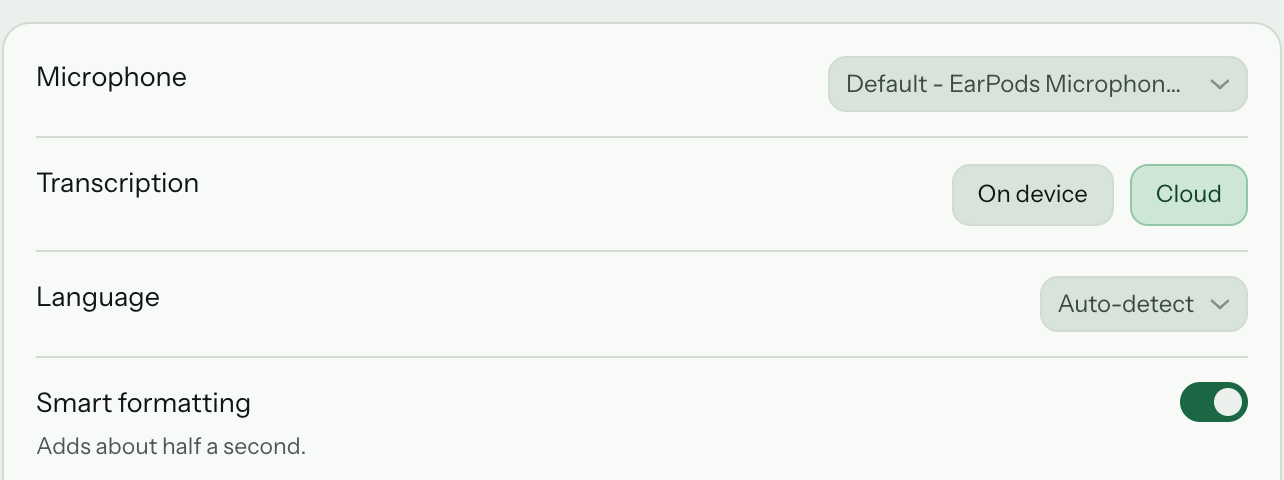
What runs on your machine
- Nothing is uploaded, and nothing waits to be uploaded later
- Your voice and the words it becomes begin and end on your computer
- What you dictate is saved on your machine — clear it or turn it off
- The same on a Mac and a PC
Who this is actually for
- Anyone under an NDA that does not permit third-party processors
- Patient notes, client matters, unreleased figures, an unfiled patent
- Developers on air-gapped or restricted networks
- Anyone who writes on a plane
The last one is where most people find out their dictation app was a web service.
Regulated work
Case notes, patient summaries and client matters that may not leave the building.
Restricted networks
Air-gapped machines, locked-down corporate networks, and everything behind them.
No signal at all
A plane, a train, a basement office. It does not degrade. It works.
Try it with the network off. Offline is on the free tier, so prove it before you pay.
When to switch back online
Online copes better with a noisy room, a strong accent or a cheap microphone. In a quiet room you are unlikely to notice a difference.
- Only what you just said is sent — never your screen, windows or clipboard
- It comes back as text and is deleted straight after
- Never stored, never used for training
Everything else works the same
Offline is a switch, not a lesser tier. Punctuation, filler removal, custom vocabulary, your own modes and voice commands all work the same way, on the free tier and on every paid plan.
And every other app on your Mac or PC, with or without a network.
Reviewed the settlement terms. Recommending we hold until the valuation lands.
Sleep improving, appetite unchanged. Agreed to hold the referral until Friday.
rotate the staging credentials and note the ticket number
Read next
Air-gapped machines
A machine kept off the network on purpose, and exactly what it still needs.
Dictation and HIPAA
What we do not claim, and where the audio goes on each path.
Does it work without Wi-Fi?
The short answer, and the two things to do before the connection goes.
Compared with the other apps
Not every app in this category still works with the network off. If that is the part you need, it is worth checking each one rather than assuming.
Questions
Does offline dictation work with no internet at all?
Once it is set up, yes — aeroplane mode, a locked-down network, a basement office. Setting it up needs a connection once, to sign in and fetch the offline model. After that, dictation makes no network request.
Is offline dictation less accurate than cloud speech to text?
On clear speech the difference is small. Online pulls ahead when the audio is hard — a strong accent, background noise, a bad microphone. You can switch between the two at any time.
Does offline mode need a download?
Once, and it is about 490 MB. It sets itself up the first time you switch to it and then lives on your computer, so it wants a machine with room to spare.
Do I still need an account for offline dictation?
Yes, for licensing. Your speech is not part of that — offline, nothing you say ever leaves your computer.
Is my audio stored anywhere?
Offline, nothing is uploaded and nothing is queued to be uploaded. Online, what you just said is sent, turned into text, returned and discarded — never stored, never used for training.
Can I use it for confidential or regulated work?
That is what it is for. Client matters, patient summaries, unreleased financials and unfiled patents never leave your computer.
Does offline dictation work on both Mac and Windows?
Yes, and it behaves the same on both, so what you get does not depend on which machine you are sitting at.
Do the other features still work offline?
Punctuation, filler removal, custom vocabulary and your own modes all work the same offline, and so do voice commands on both Mac and Windows.
Is offline dictation slower?
On a machine with room to spare, no — there is no upload to wait for. On one that is already short of memory it can be slower.
Is it included, or is it an upgrade?
Included on every plan and on the free tier, so you can prove it before paying for it.
Try it with the network off. Free to try, no card.