Your download is starting
JotMic for Mac — Apple Silicon, macOS 14 or later. Nothing happening? Start it again.
Install it
Open the file you just downloaded, drag JotMic across, then open it.
JotMic-0.1.7-arm64.dmgDone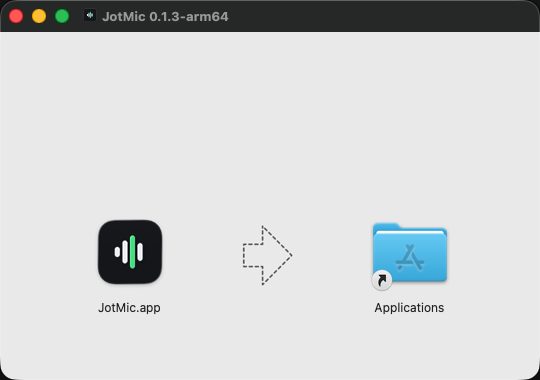
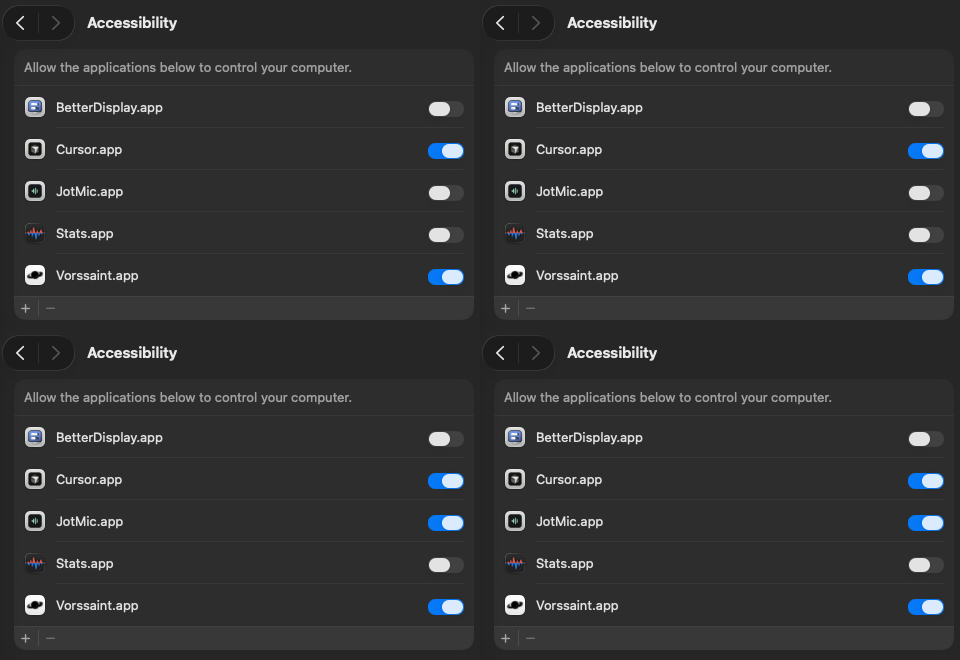
Microphone so it can hear you. Accessibility so it can type for you. JotMic asks for both on its first run and takes you straight to the setting.
Your words appear at the cursor, punctuated.
Got the wrong build?
Apple Silicon is every Mac sold since 2020. If yours is older, take the Intel build instead. A wrong build will not open, so nothing is broken.
Questions
Is it really free to try?
Yes. You get 5,000 words, and they never expire, with every feature included. No card needed.
Does my voice leave my computer?
Offline, nothing leaves your computer. Online, only what you just said — never your screen, your windows or your clipboard. It is turned into text and deleted straight after.
Which apps does it work in?
Any app or website with a text box. It types at your cursor like a keyboard, so there is nothing to set up.
Can I use it with no internet?
Yes. It can run entirely on your own computer. It works best on a machine with room to spare, and online is the default otherwise.
More on voice commands, offline dictation, and what we do with your voice.
Stuck? Mail surya@jotmic.com and say which machine you are on.